
How to set up Schlage lock for tablet lock box.
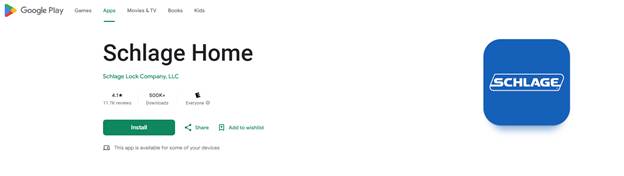
- On your smartphone, install the Schlage Home app.
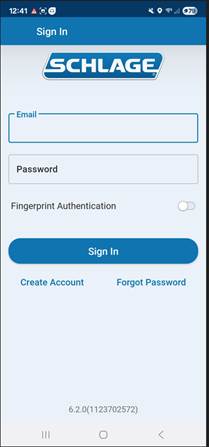
Log into the Schlage Home app using the credentials found at the following link:
Lockbox Setup Information – Freshdesk
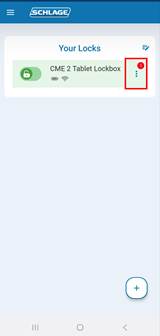
- Once logged in, click on the three dots to the right of the lock name to access options such as Manage Access or lock history.
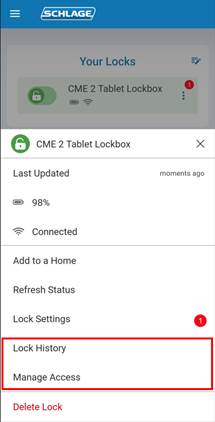
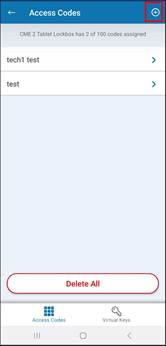
- To add a user:
- Click the plus (+) button in the upper-right corner.
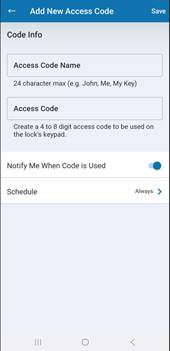
- Create a 4-digit code and assign a name.
- Uncheck the box labeled Notify me when code is used.
- Click Save.
4. To change the batteries on the lock:
Remove the cover from the inside of the lock, then take out the battery pack from the top of the lock.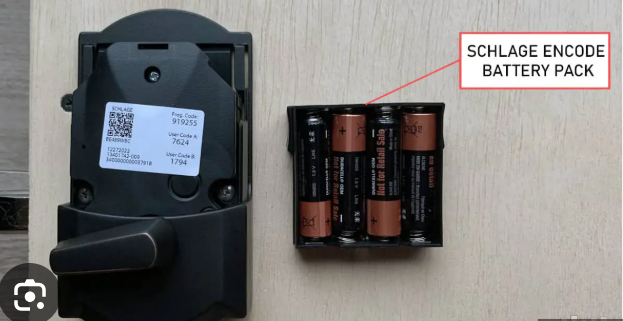
5. If the batteries in the lock die and you are unable to use the code to unlock the lockbox, the key to unlock the lock can be found in the maintenance key box.