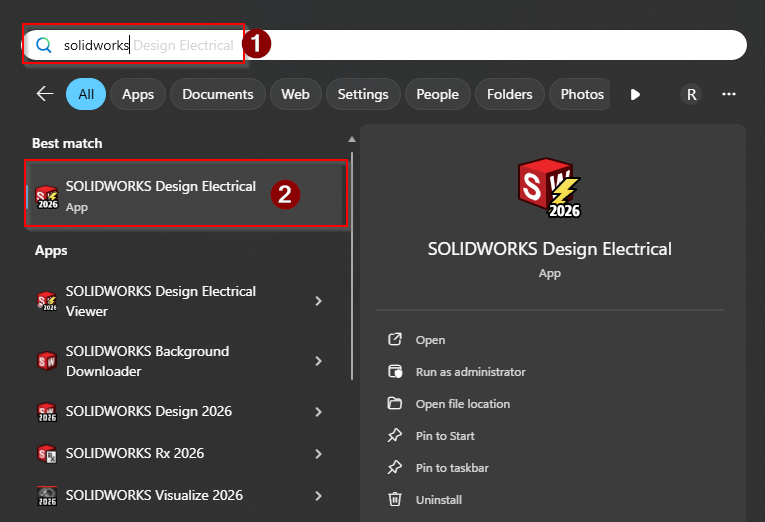
1. Open SolidWorks Electrical.
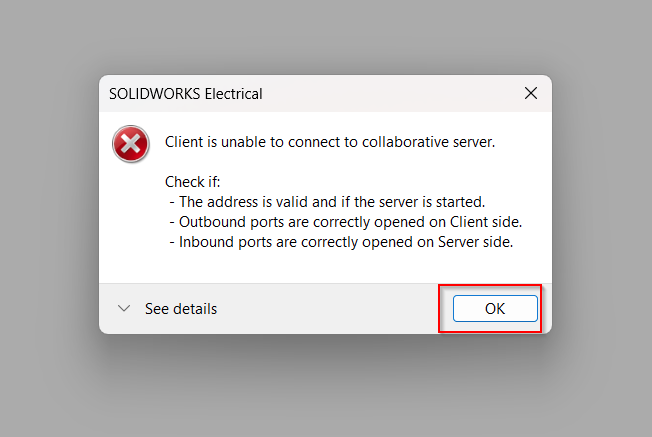
2. If this is your first time opening SolidWorks Electrical, you will likely receive this error. Press OK.
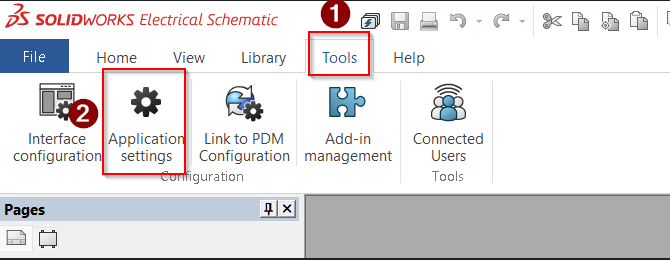
3. On the Electrical Schematic page, click Tools, then Application Settings.
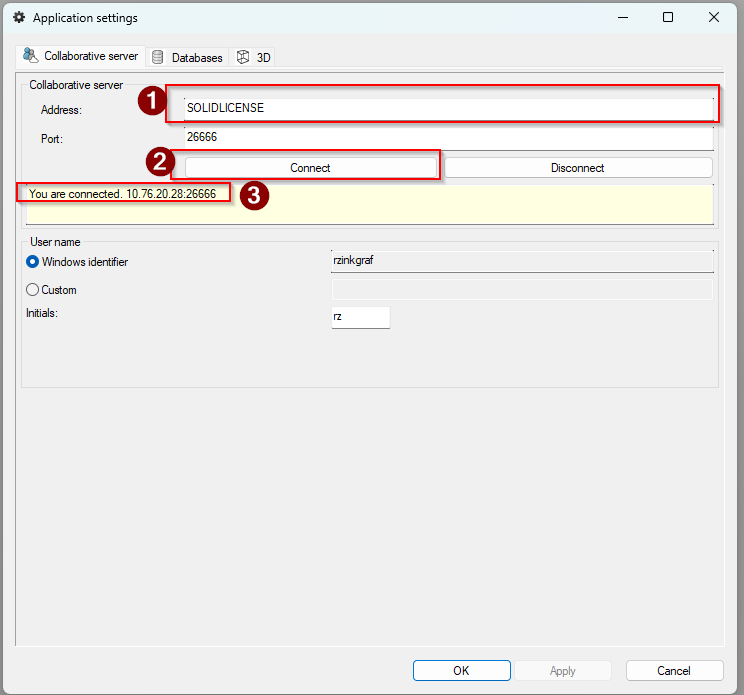
4. Make sure the settings on the Collaborative Server tab match the settings shown below in the outlined boxes.
Change the address to SOLIDLICENSE.
Press Connect.
Verify that you are connected.
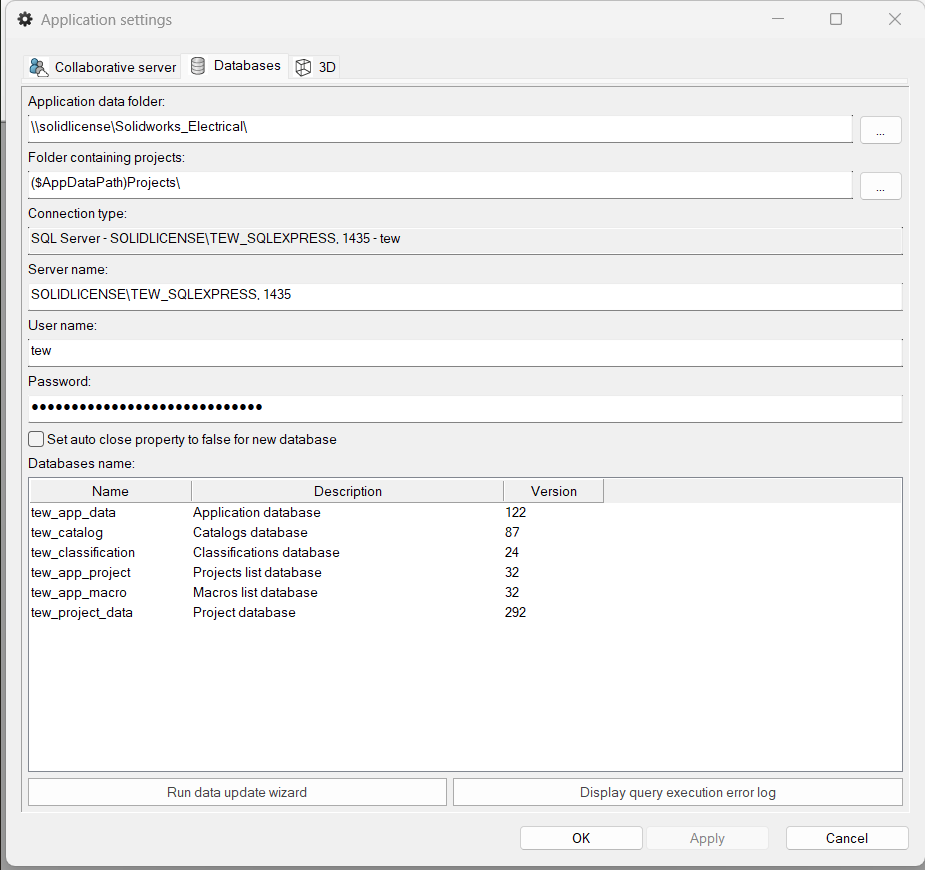
5. Click on the Database tab.
For Application Data Folder, make sure it is:
\\solidlicense\Solidworks_Electrical\
For Server Name, make sure it is:
SOLIDLICENSE\TEW_SQLEXPRESS, 1435Press Apply, then press OK.
6. Close and re-open the application. You should now be able to use SolidWorks Electrical.