
If IQMS is printing the report in a small size instead of the standard full-page size, follow the instructions below to fix the issue.
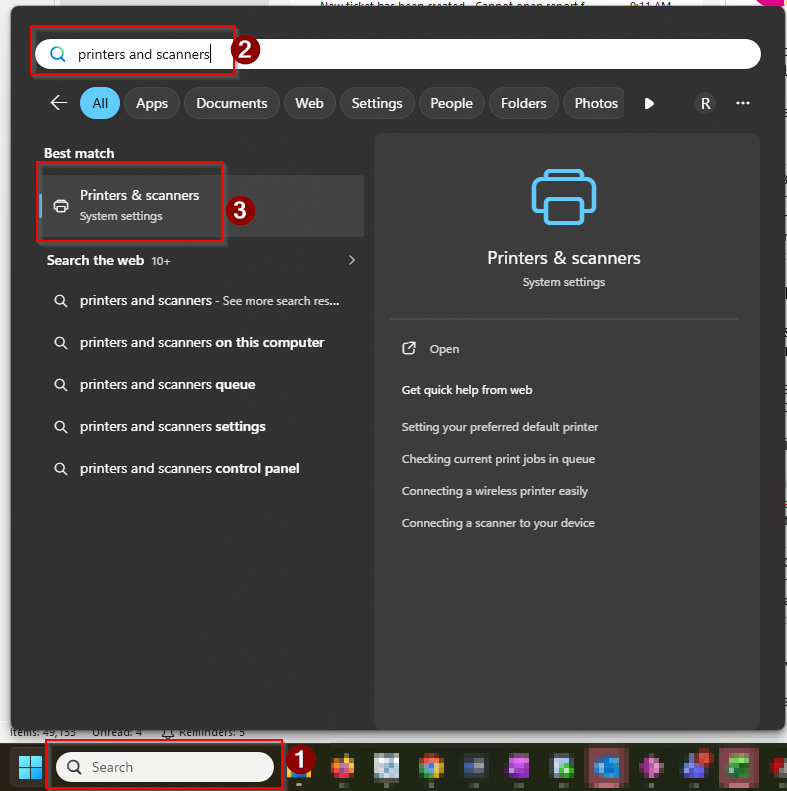
- Open the Start menu and type Printers & Scanners, then select it from the results.
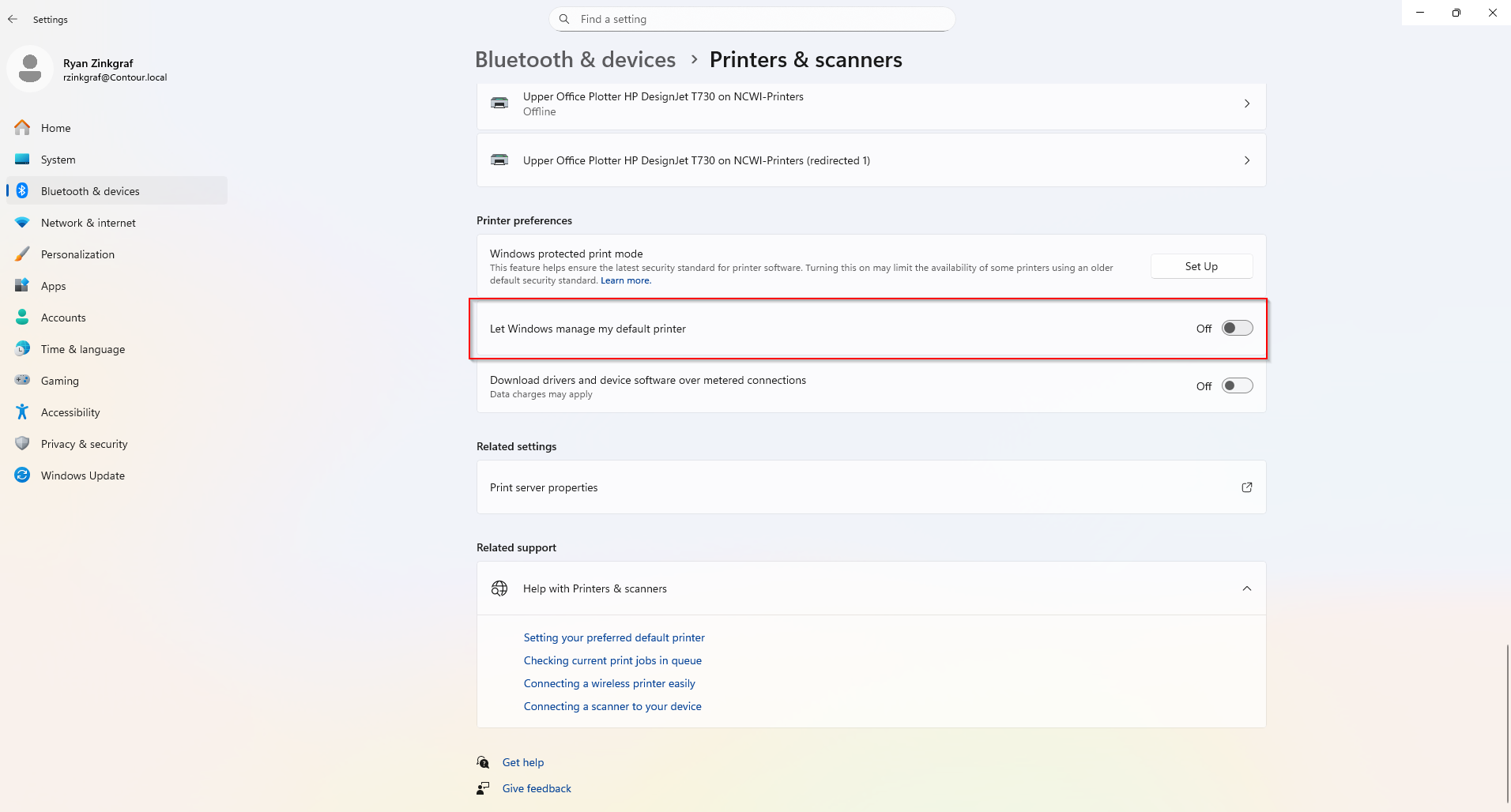
- In the Printers & Scanners window, scroll down until you see Let Windows manage my default printer.
- Turn that option off by clicking the toggle.
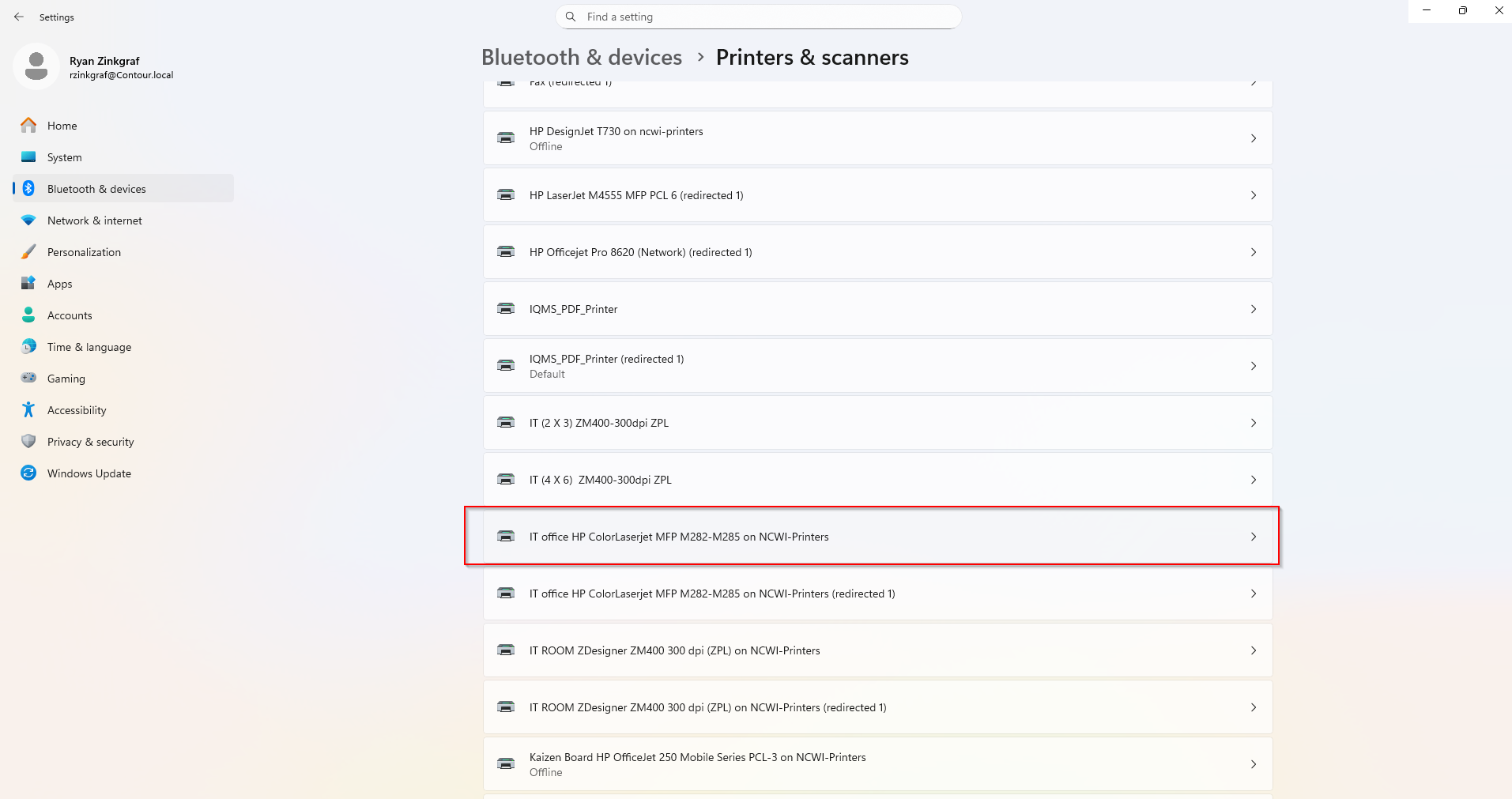
- Scroll up to the list of printers and click the printer you want to set as the default.
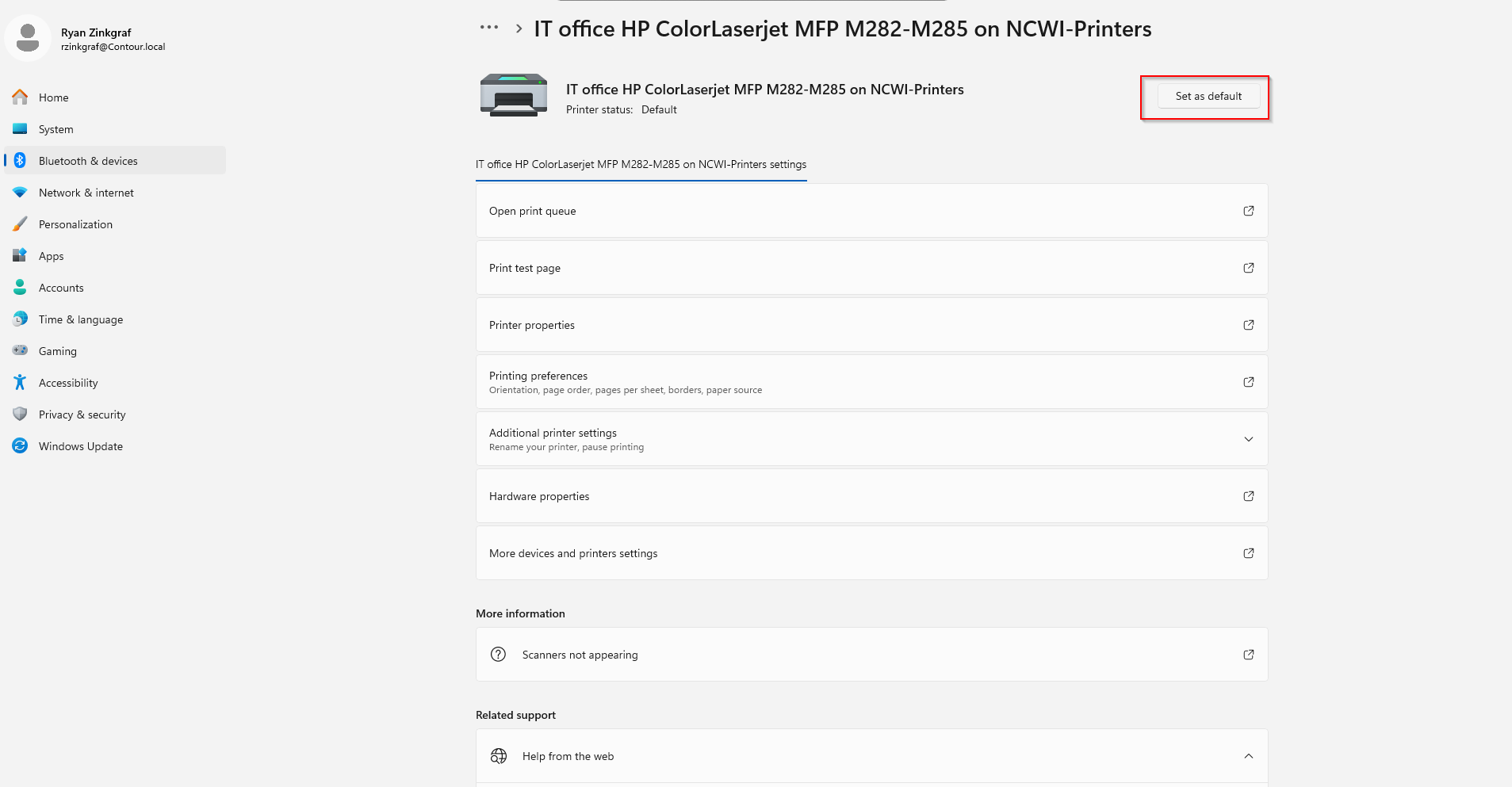
- Click Set as default.
- Close and re-open IQMS and the page size should be corrected.