
You need to delete the Outlook profile and then log back in to Outlook. Please follow the steps below to do this:
Open Control Panel, make sure Category is selected in the upper-right corner, and then click User Accounts.
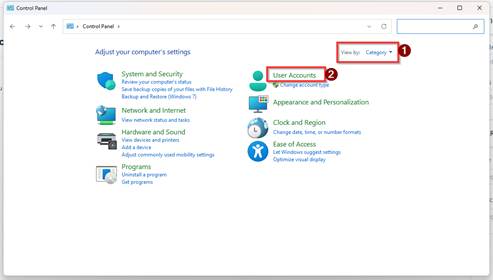
Click on User Accounts.
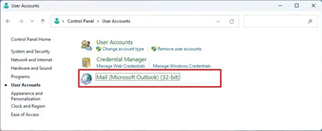
Click on Mail (Microsoft Outlook).
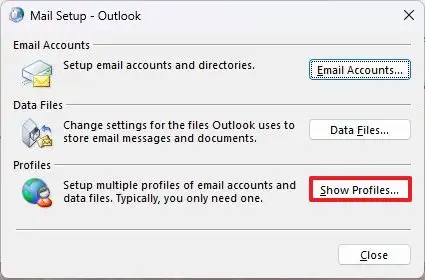
Under the “Profiles” section, click the Show Profiles button.
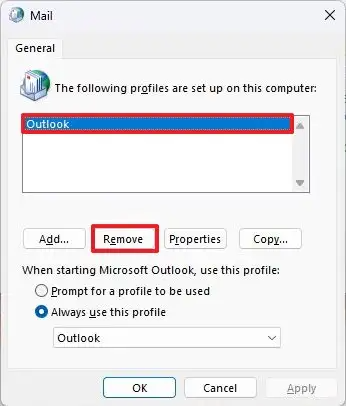
- Select the profile.
- Click the Remove button.
- Click the Yes button.
- Click the OK button
- Then re-open outlook and you will need to log in again.